Posts

Comparing File Size and Memory Consumption: Qt Widgets vs. Qt Quick with QML

Image
Qt  is a powerful cross-platform framework used for developing applications with intuitive user interfaces. It provides two main approaches for UI development: Qt Widgets , which follows a traditional imperative model with C++-based UI components, and Qt Quick which uses QML , a declarative language designed for fluid, modern interfaces alongside the custom QJSEngine for frontend JavaScript interactions. Both offer unique advantages, but they also differ in terms of performance, resource usage, and application footprint. QT Widgets and QT Quick QML apps Testing File Size and Memory Consumption In this post, I’ll compare the file size and memory consumption of a simple "Hello World" application built with Qt Widgets and Qt Quick (QML). The goal is to see how each approach impacts the final executable size and runtime memory usage. I'll build both versions, deploy them, and measure their resource consumption to provide insights into which might be more suitable for lightw...

Cross Platform Desktop Rust GUI App with Dear ImGui, Glium and Winit

Image
Building desktop GUI apps that work consistently across different operating systems presents several technical challenges. Dear ImGui combined with Glium and Winit provides a technical stack for cross-platform development. ImGui's immediate mode architecture regenerates the interface each frame, while Glium handles OpenGL context management across Windows, macOS, and Linux and Winit handles window creation, and input processing. Please note, the Glium library is no longer under active development. Refer to Glium post-mortem. This post examines a basic "Hello World" implementation using ImGui, Glium and Winit on the three major desktop platforms. The application demonstrates a simple counter interface with color customization and framerate display. Below, you'll find screenshots of the application running on Windows, macOS, and Linux. Each screenshot is paired with the corresponding OS task manager and file explorer, showing memory, CPU utilization and file si...

Cross Platform Desktop C++ GUI App With Dear ImGui and GLFW

Image
Building desktop GUI apps that work consistently across different operating systems presents several technical challenges. Dear ImGui combined with GLFW provides a robust technical stack for cross-platform development. ImGui's immediate mode architecture regenerates the interface each frame, while GLFW handles window creation, input processing, and OpenGL context management across Windows, macOS, and Linux. This post examines a basic "Hello World" implementation using ImGui and GLFW on the three major desktop platforms. The application demonstrates a simple counter interface with color customization and framerate display. Below, you'll find screenshots of the application running on Windows, macOS, and Linux. Each screenshot is paired with the corresponding OS task manager and file explorer, showing memory, CPU utilization and file size on different operating systems. These comparisons provide insight into how the same codebase performs across different desktop e...

Rust to JavaScript Cheat Sheet

A quick reference for translating common Rust features to JavaScript.

Rust Cargo to Node.js NPM Cheat Sheet

A quick reference for translating common Rust Cargo commands to Node.js NPM.

Bringing a react web app to the desktop with Electron, Tauri and OpenFin

Image
With the growing demand for more native-like web applications, companies are looking to desktop web container solutions like Electron, Tauri and OpenFin to evolve beyond the browser. Bringing a react web app to the desktop opens up possibilities like improving performance, integrating with native notifications, window management and an overall more flexible experience for apps with advanced user interfaces. The potential here is exciting because it allows businesses to leverage their existing web assets, tech stacks and developer expertise to deliver an experience that feels more powerful and responsive on the desktop. In this article, I will walk through bringing a web app to the desktop using frameworks such as Progressive Web App, OpenFin, Electron and Tauri. I will also use progressive enhancement techniques to enable a the basic experience when viewing the app in a browser and then detect when running in a desktop container for a more immersive experience on the desktop. Setting t...

Cross-platform desktop app filesize comparison

Image
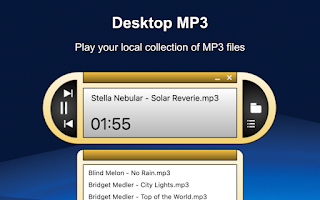
I am the author of Desktop MP3 , an offline music player focused on simplicity and ease-of-use.   The MacOS version is built using Objective-C with Storyboard, and the Windows versions is built using Electron.  In this article, I want to show the differences between binary file sizes using different cross platform desktop frameworks. Desktop MP3

Flutter Dart Cheat Sheet for TypeScript Developers

Welcome to "Flutter Dart Cheat Sheet for TypeScript Developers". This article is meant to be a quick reference guide for software developers already familiar with TypeScript who are looking to expand their expertise into Flutter app development using Dart.

React Native iOS Developers: Free Up Space on your macOS Dev Machine

Image
React Native iOS developers running out of space on your MacBook? Here are a few places specific to React Native iOS resources that you can check to free up some space. Start by going to System Preferences > General > Storage to see how much space you have.   

Xamarin App Startup Speed Comparison on Android

A comparison of app startup speed using Xamarin Native and Xamarin Forms.

Xamarin Forms vs React Native

A comparison of Xamarin Forms versus React Native. Topics include hot reload, fonts, code navigation, debugging and more.

Flag Capture Extreme Now Available for iPhone

Image
I am happy to announce that Flag Capture Extreme is now available for iPhone devices. The iOS version was previously only available for iPad. Gather together with your friends and family to play capture the flag on your iPad! Capture the opponents flag, break through brick walls, shove other rolling balls around, hide behind your opponent's controller, do whatever it takes, just don't get caught before you get back to your own flag. The game can be played by 2 or 4 players. The first team to reach 5 points wins the round! Download Flag Capture Extreme for free today!

Introducing IWASNUTS: It's a Web App Starter for Node Using TypeScript and Sass

I want to introduce you to my new open-source project called IWASNUTS: It's a Web App Starter for Node Using TypeScript and Sass This project is meant for for getting developers off the ground quickly with basic boilerplate code. Currently it is tailored toward a VSCode environment. It is a work in progress, but so far I have TypeScript and Sass compilation using Gulp tasks, along with Express, Express-Session, BodyParser, and EJS templating. I will be adding a login mechanism and a forgot password email function -- hopefully soon. I want to keep it to the basics, so I probably won't be adding sample database connectivity since there are too many different options. As always, I'm open to feedback -- especially if I can make something more efficient or if I have done something the wrong way. If you like where the project is headed, please star it on GitHub. Enjoy! https://github.com/anthony-tietjen/iwasnuts

Comparison of Mobile App Frameworks

I put together this spreadsheet to compare some of the more popular mobile app frameworks.

Converted ReactNativeJobs.io from PHP to NodeJS with EJS Templates

Image
Today I finished converting  ReactNativeJobs.io  from using PHP over to NodeJS with EJS templates. The transition went smoother and faster than I had anticipated. Thanks goes out to the helpful developers on the  NodeJS Facebook group  for pointing me in the right direction, and to Chris Sevelleja for his blog post on  how to use EJS with Node .

Solved: Ionic ENOENT Invalid device state error when using sudo on Mac

I was trying to launch a sample app on the newly released Ionic 2 Release Canditate . When I ran the command sudo ionic run ios --emulator , I encountered an error similar to this one which I shorted for display here: An error was encountered processing the command (domain=com.apple.CoreSimulator.SimError, code=163): Invalid device state Error: ENOENT: no such file or directory, stat '/Users/.../Library/Logs/CoreSimulator/.../system.log' After searching the internet for solutions, I was able to overcome the error by taking the following steps: Install the latest update to Xcode. Run xcode-select --install to make sure that Xcode command line tools is installed (as recommended by Mike Hartington on the Ionic Github page .) Run sudo chown -R username /Users/username to update my permissions which makes it so that I don't have to run sudo when running ionic commands (as recommended by  Zac Vineyard on his blog .) Run ionic run ios --emulator (this time ...

Choosing the Right Mobile Development Framework

When choosing a mobile development you first need to decide what your goals are in the long run. There are two ends of the spectrum. The first being 100% cross-platform code sharing, with the second being native feel and performance. Xcode is Apple's recommended IDE for app iOS development.  It uses Objective C or Swift as the programming language. Using these will get you a fast, native app without any loss of performance. When using Objective-C, your resulting binary will be smaller than if you use Swift . Android Studio is Google's recommended IDE for developing on Android. It is currently a customized build of Intelli-J, but previously it was a customized bundle of Eclipse with extra plugins. These tools use Java as the programming language. Visual Studio is Microsoft's recommended IDE for developing Windows Phone apps. Developers can use C# or Visual Bascis.net to build apps. The three IDE's mentioned above each have their pros and their cons. ...

Compared: Xamarin vs Xcode - iOS App Size and Startup Speed

In  Xamarin  I created a  Single View App  targeted for iOS and Android with a Shared Library. I changed the scheme to Release and removed the button click logic from ViewController.cs since Xcode's doesn't start with any button click logic. I confirmed that debugging was not enabled by putting a breakpoint in the ViewDidLoad() event, and it never hit that breakpoint. The deployment target was set to iOS 9.2. In  Xamarin  I created a  Xamarin.Forms App  targeted for iOS and Android with a Shared Library. I changed the scheme to Release. I confirmed that debugging was not enabled by putting a breakpoint in the App() method, and it never hit that breakpoint. The deployment target was set to iOS 9.2. In Xcode I created a Single View App using Swift targeting Universal devices. I opened the Run scheme, changed it to use the Build Configuration of Release and unchecked Debug Executable. Under Options I unchecked Core Location, XPC Servi...

Solved: Splash Screen for Xamarin.Forms Android Project

When launching a Xamarin.Forms apps for Android it starts out on a regular Activity while it prepares and launches the Forms activity. This delay is not very pretty and displays a regular android activity for maybe 2 seconds (on my Galaxy S6) before launching the intended Xamarin.Forms screen. While it is probably not possible to speed up the load, there is something you can do about the look of the app while the Forms activity is loading: and that is to display a splash screen. First I thought I could just add my own class, call SetContentLayout and be on my way, but even the process of loading a layout has a delay. It isn't two seconds like when loading a Xamarin Forms activity, but there is still a noticeable delay. What you really need, as Thomas Burkhart  and Chris Stewart recommend is a splash screen. Xamarin has sample code for implementing a splash screen in a Xamarin.Android project. This example code takes a graphic and stretches it across the whole splash screen....

Introducing Sensory Sand App for Android

Image
I am pleased to announce the release of my latest app: Sensory Sand. It is a relaxing sensory sand game using gravity and physics. The app has multi-touch support for dropping multiple streams of sand. Move the obstacles to make your own patterns to watch as the sand falls. It is currently available for Android. The iPhone version is in the works. Download Now for Android Preview Video